Few things are as frustrating as your LG appliance flashing an enigmatic error code on its digital display, halting a cycle and leaving you wondering what went wrong. Fortunately, these codes aren’t just random alarms; they are LG’s built-in diagnostic system, designed to pinpoint issues and guide you toward a solution. Understanding what these alphanumeric messages mean can save you time, money, and the hassle of an unnecessary service call.
This comprehensive guide will break down the most common LG appliance error codes, their underlying causes, and practical troubleshooting steps you can take. Whether it’s your washing machine, dryer, or another LG appliance, we’ll help you decipher these digital signals and get your household back on track.
Understanding LG Error Codes
LG appliances, from washing machines to dryers, incorporate smart self-diagnosis systems that detect minor issues before they escalate. When a sensor identifies an abnormal condition—such as a door not locking, water failing to drain, or a motor struggling—it triggers a specific error code. These codes typically appear as two-character alphanumeric combinations (e.g., OE, dE, HE) and sometimes include numbers, providing a clearer indication of the system affected.
- Why They Appear: Error codes protect your appliance from further damage and guide you toward fixing the problem. They eliminate guesswork, directly pointing to the system experiencing issues.
- General First Steps: Always note the exact code displayed. Then, consult your appliance’s user manual, as specific models might have slight variations in code meanings or troubleshooting procedures. A common first step for many errors is a “power cycle” or “reset,” which involves unplugging the appliance for 1-5 minutes to clear temporary glitches.
Common LG Washing Machine Error Codes and Solutions
LG washing machines frequently display codes related to water, door, and load issues. Here’s how to tackle the most common ones:
dE (Door Error)
The “dE” code (which may also appear as dE1, dE2, dL, or LC) indicates that the washing machine door is not properly closed or the locking mechanism is faulty. This is a critical safety feature that prevents operation while the drum contains water or is spinning.
- Causes: The door not being fully latched, clothes trapped in the door seal, or a malfunction in the electronic door lock mechanism.
- Troubleshooting:
- Inspect Door Closure: Open and firmly close the door, ensuring a distinct click. Check for any fabric or objects caught between the door and the seal.
- Clean Seal: Wipe the door seal to remove detergent buildup or debris that might prevent proper seating.
- Reset: If the door appears closed but the error persists, try unplugging the machine for 60 seconds. If the issue continues after these steps, the door lock assembly might need professional replacement.
|
Our Picks for the Best Clothes dryer in 2026
As an Amazon Associate I earn from qualifying purchases.
|
||
| Num | Product | Action |
|---|---|---|
| 1 | Drying Rack Clothing, 3-Tier Clothes Drying Rack Foldable, Antirust Laundry Drying Rack Collapsible Use for Indoor & Outdoor, 11.8" D x 34.6" W x 35.4" H, White |

|
| 2 | HOMIDEC Clothes Drying Rack, Oversized 4-Tier(67.7" High) Foldable Stainless Steel Drying Rack Clothing, Movable Drying Rack with 4 castors, 24 Drying Poles and 14 Hooks for Bed Linen, Clothing, Grey |
|
| 3 | Amazon Basics Foldable Portable Clothes Drying Rack for Indoor Air Drying, Collapsible Design, 14.5" D x 29.5" W x 41.8" H, White |
|
| 4 | BLACK+DECKER BCED37 Compact Dryer for Standard Wall Outlet, Small, 4 Modes, Load Volume 13.2 lbs., White |
|
| 5 | Portable Clothes Dryer, 900W Fast Drying & Large Load Capacity for Laundry and Shoes - Compact Mini Dryer Machine for Travel, Apartments, RV, Dorm Blue |
|
| 6 | Kenmore 7.0 cu. ft. Front Load Electric Dryer - with Guard to Reduce Wrinkles & Static - Smart Sensor Drying - LED - White |
|
| 7 | GE PROFILE 7.2 cu. ft. Vented Electric Dryer in White with Auto Dry and Extended Tumble |
|
| 8 | MOJOCO Portable Clothes Dryer - Mini/Compact Dryer for Apartment, RV, Travel - Small Quiet Fast-Drying Machine with Adjustable Timer & Hassle-Free Setup |
|
| 9 | Sakugi Clothes Drying Rack, Foldable 2-Level Laundry Drying Rack with Height-Adjustable Wings, for Clothing & Bedding, Free-Standing Space-Saving Rack, Indoor & Outdoor, 55.5" L × 22.8" W, Gray |
|
| 10 | Euhomy Dryer, 3.5 Cu. Ft. 1500W Clothes Dryer, Stainless Steel Tumble Dryer with Exhaust Hose for Home, Apartment, Dorm, White |
|
IE (Water Inlet Error)
The “IE” code (or 1E) signals a problem with the water supply, meaning the machine isn’t filling with water within the expected timeframe.
- Causes: Closed water taps, kinked or blocked inlet hoses, clogged inlet mesh filters, or low water pressure.
- Troubleshooting:
- Check Water Taps: Ensure both hot and cold water supply taps behind the machine are fully open.
- Inspect Hoses: Straighten any kinked inlet hoses and check for obstructions.
- Clean Inlet Filters: Turn off the water supply, disconnect the inlet hoses, and clean the small mesh filters located inside the hose connectors.
- Water Pressure: Verify your home’s water pressure meets the machine’s requirements (typically at least 20 PSI).
OE (Drain Error)
An “OE” code (or 0E) indicates that the washing machine cannot drain water properly within the expected time.
- Causes: A blocked pump filter, a kinked or obstructed drain hose, or a malfunctioning drain pump.
- Troubleshooting:
- Clean Pump Filter: Locate the filter access panel (usually at the front bottom), place towels underneath, and slowly unscrew the filter to remove trapped debris. Rinse thoroughly and replace.
- Inspect Drain Hose: Check the large corrugated drain hose for kinks, crushes, or blockages. Ensure it’s not positioned too high (not more than 100cm above floor level).
- Listen to Pump: A working drain pump makes a distinct humming sound. If you hear nothing, it might be an electrical failure; if it hums but doesn’t drain, it could be a mechanical issue.
UE (Unbalanced Load)
The “UE” code signifies an unbalanced load within the drum, which prevents the machine from spinning safely.
- Causes: Laundry distributed unevenly, overloading, or washing a single heavy item.
- Troubleshooting:
- Redistribute Laundry: Open the door and manually rearrange items evenly around the drum.
- Reduce Load Size: If overloaded, remove some items and try again.
- Level Appliance: Ensure the washing machine is perfectly level on the floor, as an unlevel machine can exacerbate load imbalance.
FE (Overfill Error)
The “FE” code means the washer is overfilling, often due to a faulty water inlet valve or pressure sensor.
- Causes: A water inlet valve stuck open or a malfunctioning water level pressure sensor.
- Troubleshooting:
- Turn Off Water: Immediately turn off the water supply taps to prevent flooding.
- Drain Manually: Most LG machines allow emergency draining via the pump filter.
- Professional Help: Due to the risk of water damage and complex internal electrical systems, a professional should address inlet valve or pressure sensor faults.
LE (Motor Overload/Locked)
The “LE” code indicates a motor overload or a mechanical issue, often triggered by heavy loads or internal strain.
- Causes: Excessive laundry weight, foreign objects wedged between the drum and outer tub, or worn drum bearings.
- Troubleshooting:
- Reset: Power cycle the machine by unplugging it for 60 seconds.
- Reduce Load: Remove half the laundry and try again.
- Check for Obstructions: With the machine off, try rotating the drum by hand. It should turn smoothly. Grinding or catching indicates an obstruction.
- Professional Help: Persistent LE errors suggest motor, bearing, or control board faults requiring professional diagnosis.
TE/HE (Temperature/Heater Error)
Both “TE” (Temperature Error) and “HE” (Heating Error) codes relate to water temperature problems, typically indicating a faulty temperature sensor (thermistor) or heating element.
- Causes: A thermistor reporting incorrect temperatures or a burnt-out heating element.
- Troubleshooting:
- Professional Help: These faults involve internal electrical components and high voltage. Professional diagnosis and replacement are strongly recommended to ensure safety and correct repair.
SE (Motor Sensor Fault)
The “SE” code (Motor Sensor Error) appears when the control board cannot properly communicate with the motor’s position sensors (hall sensors).
- Causes: Loose wiring connections between sensors and the control board, or faults within the motor control board itself.
- Troubleshooting:
- Professional Help: SE errors are complex and require professional diagnosis to test sensor resistance, verify control board signals, and safely replace components.
CE (Current Error)
The “CE” code (Current Error) signals that the motor is drawing excessive electrical current, which can damage the motor or electrical circuits.
- Causes: Overloading, mechanical obstructions, or failure within the motor control module.
- Troubleshooting:
- Reduce Load: Remove laundry and check for obstructions.
- Reset: Power cycle the machine.
- Professional Help: If the CE error persists with an empty drum or small loads, it indicates motor, control board, or wiring faults that require a trained technician.
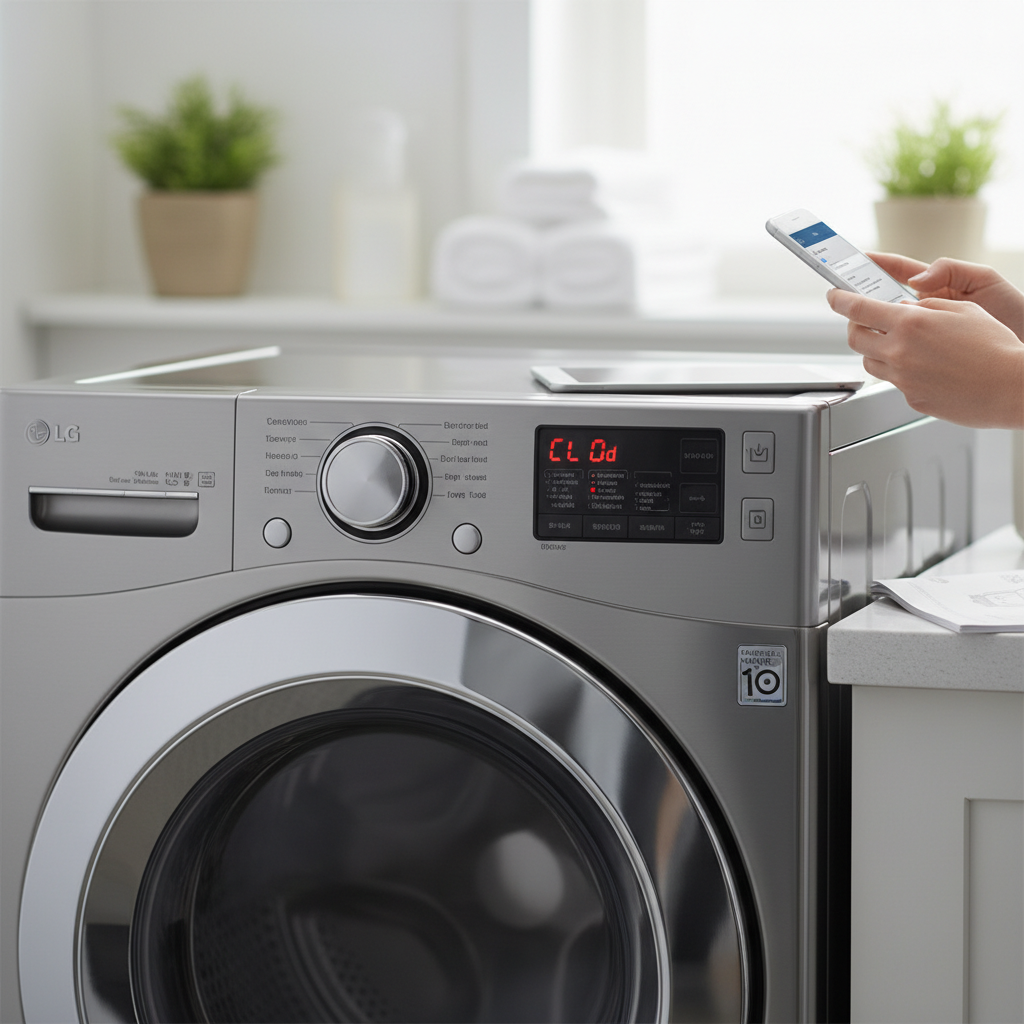
CL (Child Lock)
The “CL” display is not an error code but an indicator that the Child Lock feature is activated. This prevents accidental program changes or door opening.
- Troubleshooting:
- Disable Child Lock: The method varies by model but usually involves pressing and holding a specific button combination (e.g., “Temp” and “Spin” simultaneously, or a dedicated “Child Lock” button) for 3-5 seconds. Consult your user manual for the exact sequence.
Common LG Dryer Error Codes and Solutions
LG dryers also have specific codes indicating problems from heating to ventilation.
dE (Door Error)
Similar to washing machines, the “dE” code on an LG dryer indicates that the door is not securely closed.
- Causes: The door not being fully latched, an obstruction preventing complete closure, or a faulty door switch mechanism.
- Troubleshooting:
- Ensure Door Closure: Open and firmly close the dryer door, checking for any items caught in the latch area.
- Inspect Latch: Examine the door latch and hinges for any damage or misalignment.
- Door Switch: If the issue persists, the door switch may be faulty and could require professional replacement.
LE (Motor Issues)
The “LE” code on an LG dryer points to a problem with the motor, potentially a locked motor or issues with the motor control board.
- Causes: An obstructed motor, a malfunctioning motor, or a faulty motor control board.
- Troubleshooting:
- Check Motor: Ensure the motor is not obstructed and spins freely.
- Reset Dryer: Unplug the dryer for 1-2 minutes to perform a reset.
- Professional Help: If the motor still doesn’t work after resetting, a technician should inspect and repair it.
HE (Heating Issues)
The “HE” code on your LG dryer typically indicates an issue with the heating element or the thermistor (temperature sensor).
- Causes: A damaged heating element or a malfunctioning thermistor preventing proper temperature regulation.
- Troubleshooting:
- Check Heating Element: Ensure the heating element is intact. If damaged, it needs replacement.
- Test Thermistor: A multimeter can test the thermistor’s functionality. If faulty, it needs replacement. These repairs often require professional expertise due to electrical components.
D75, D80, D90, D95 (Ventilation Issues)
These codes (D80 is common) signify varying levels of duct blockage or restricted airflow in the dryer’s exhaust venting system. The number indicates the approximate percentage of blockage. Restricted airflow leads to poor drying performance, longer drying times, and can be a fire hazard.
- Causes: A clogged lint filter, obstructed vent system, or a blocked exhaust hose.
- Troubleshooting:
- Clean Lint Filter: Clean the lint filter thoroughly after every cycle.
- Inspect Vent System: Check the entire vent and exhaust hose for blockages and remove any lint buildup.
- Professional Cleaning: Consider professional vent cleaning to prevent future buildup and maintain optimal airflow.
TE (Temperature Sensor Issues)
The “TE” code usually points to a malfunctioning temperature sensor or thermistor.
- Causes: A faulty temperature sensor or thermistor that is not accurately reading or reporting the temperature.
- Troubleshooting:
- Test Temperature Sensor: Use a multimeter to check for continuity. If it’s faulty, replace it.
- Replace Thermistor: If testing confirms a problem, replacing the thermistor will restore the dryer’s heating function.
UE (Unbalanced Load)
Similar to washing machines, the “UE” code on an LG dryer appears when it detects an unbalanced load.
- Causes: Clothes unevenly distributed inside the drum, preventing proper drying and putting strain on the motor.
- Troubleshooting:
- Redistribute Laundry: Reorganize clothes evenly inside the drum.
- Reduce Load Size: For very large loads, split them into smaller batches.
General Troubleshooting Steps for Any LG Appliance
Regardless of the specific error code, these universal steps can often resolve minor glitches:
- Power Cycle/Reset: Unplug the appliance from its power source for at least 1-5 minutes, then plug it back in. This can clear temporary electronic errors.
- Consult Your User Manual: Your appliance’s manual is the definitive source for error code meanings and model-specific troubleshooting.
- Inspect for Obvious Issues: Check for kinked hoses, tripped circuit breakers, loose power cords, or any visible obstructions.
When to Call a Professional Appliance Technician
While many LG error codes can be resolved with DIY troubleshooting, some problems require expert intervention. It’s time to call a professional technician if:
- Codes Persist: The error code returns repeatedly after you’ve attempted basic troubleshooting steps.
- Electrical Concerns: You suspect an electrical fault, or the issue involves components like heating elements, motors, or control boards, which carry electrical shock risks.
- Safety Hazards: You notice burning smells, water leaks, loud grinding noises, sparking, or smoke.
- Complex Repairs: The repair requires disassembling the appliance beyond easily accessible panels (like cleaning the pump filter).
- Warranty: Your appliance is still under warranty; attempting DIY repairs might void it.
“Appliance error codes are designed to provide quick insights into what’s going wrong, but knowing when to call a professional is key to ensuring a safe and lasting fix.”
Preventive Maintenance Tips
Proactive maintenance can significantly reduce the occurrence of error codes and extend the lifespan of your LG appliances:
- Clean Filters Regularly: For washers, clean the pump filter monthly. For dryers, clean the lint filter after every cycle and inspect inlet filters and vents regularly.
- Avoid Overloading: Respect the capacity limits of your washing machine and dryer to prevent strain on motors and ensure even drying/washing.
- Check Hoses and Connections: Periodically inspect water inlet and drain hoses for kinks, damage, or signs of wear.
- Level Your Appliances: Ensure washing machines and dryers are level to prevent unbalanced loads and excessive vibration.
- Empty Pockets: Always empty pockets before washing to prevent small items from blocking filters or damaging internal components.
Conclusion
LG appliance error codes, while initially daunting, are valuable diagnostic tools designed to help you maintain your home appliances. By understanding their meanings and following appropriate troubleshooting steps, you can often resolve common issues yourself, saving time and money. Remember that a basic power cycle, thorough cleaning of filters and vents, and proper loading practices can prevent many problems. For persistent or complex issues, never hesitate to seek the expertise of a qualified appliance technician to ensure a safe and effective repair.
Which LG error code has been your most challenging to troubleshoot?
Frequently Asked Questions
How do I perform a universal reset on my LG appliance?
For most LG appliances, you can perform a universal reset by turning off the appliance, unplugging it from the power outlet for at least 1 to 5 minutes, and then plugging it back in and restarting the cycle. This helps clear temporary glitches or system errors.
Is the “CL” code an error?
No, the “CL” code (Child Lock) is not an error but an indicator that the child lock feature is activated on your LG washing machine. It disables the control panel to prevent accidental changes. You can deactivate it by pressing and holding a specific button combination, usually “Temp” and “Spin,” for a few seconds.
When is it safe to DIY troubleshoot LG error codes?
It is generally safe to DIY troubleshoot error codes related to blockages (like clogged filters or hoses), unbalanced loads, or door closure issues. However, for electrical faults, motor problems, heating element failures, or any repair requiring internal disassembly beyond filter access, it is best to consult a professional technician.